This page is maintained by the LCC Ergonomics Committee. Our goal is to promote ergonomic awareness and serve as a technical resource to help you design a workspace that minimizes the risk of repetitive motion injuries.
What is Ergonomics?
Ergonomics is the applied science of equipment design, intended to maximize productivity by reducing operator fatigue and discomfort. By understanding the range and capability of the human body, we can optimize your workstation to ensure you work more efficiently and comfortably while protecting your long-term health.
The Anatomy of an Ideal Workstation
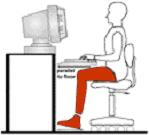
Follow these "Golden Rules" to achieve a neutral body posture and reduce physical strain.
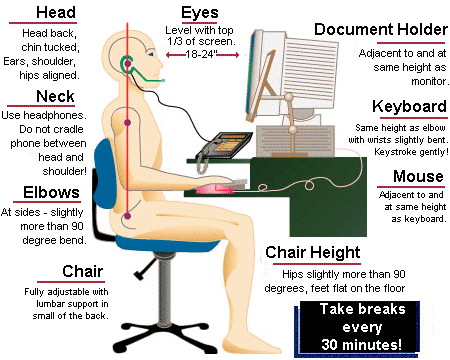
1. Viewing Angles & Eye Health
- Alignment: Position your monitor, keyboard, and chair in a single straight line to prevent neck twisting.
- The Horizon: The top of your monitor screen should be at or slightly below your eye horizon.
- Distance: Keep the monitor at a comfortable reading distance, typically 15–30 inches from your eyes.
- Lighting: Adjust brightness and contrast to reduce eye strain. Avoid glare by positioning your screen away from direct sunlight or windows.
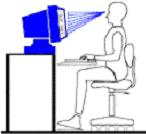
2. Neutral Typing Position
- The 90-Degree Rule: Keep your upper and lower arms at a 90-degree angle to each other.
- Straight Wrists: Use an adjustable chair or keyboard tray to maintain a neutral, straight line from your hand to your forearm.
- Mouse Placement: Position your mouse as close to the keyboard as possible to minimize reaching or shoulder twisting.
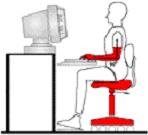
3. Lower Back (Lumbar) Support
- Posture: Use a chair that provides firm lumbar support. Adjust the backrest to maintain an erect sitting posture.
- Chair Safety: Ideal ergonomic chairs should be easily height-adjustable and feature 5-wheel legs for stability.
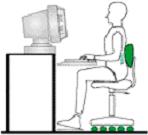
4. Legs & Feet
- Solid Foundation: Plant your feet firmly on the floor. If your feet do not reach, use a footstool to counterbalance the forces on your lower back.
- Clearance: Ensure there is ample leg clearance under your desk to avoid bumps, pinches, or restricted circulation.
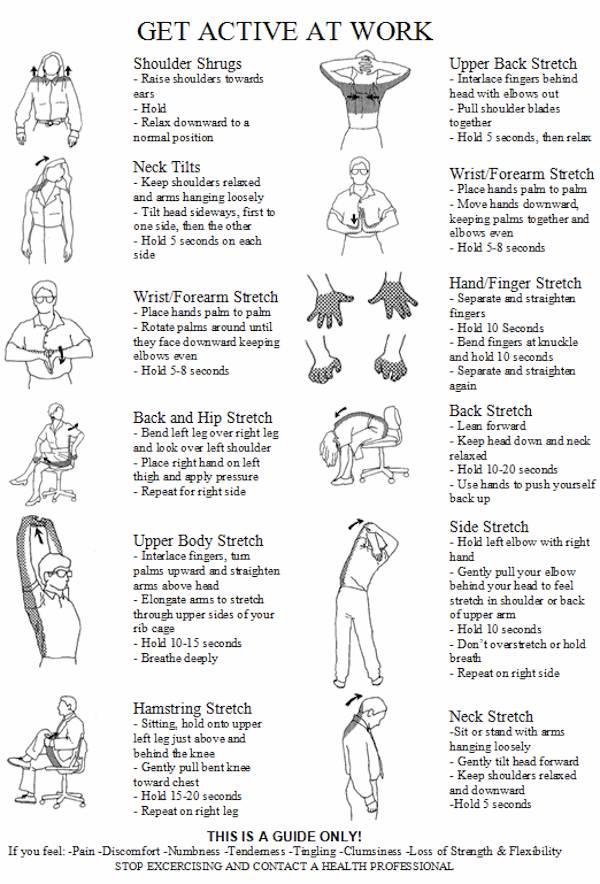
Get Active At Work
LCC Ergonomics Committee
The Erg Team provides on-site reviews of office workstations. During an evaluation, a member will identify risk factors and provide a report containing "immediate fixes" (e.g., chair adjustments) as well as long-term recommendations for equipment or office layout changes.
Request an Evaluation
If you have an ergonomic concern regarding your workstation or a repetitive motion task, please contact a committee member to schedule a walkthrough:
- Jenni Miner: minerja@lanecc.edu
- Dawn Barth: barthd@lanecc.edu
Related Policies, Procedures, References, and Resources
Procedures & Action Links
- Self-Correction Guide: A digital tool for a 5-minute ergonomic tune-up.
- COPPS: Ergonomic Assessment Request Workflow: The official process for requesting new equipment or professional evaluations.
External Expert Resources
- State of Oregon Ergonomic Information: Comprehensive guides and safety standards from OR-OSHA.
- Yale University Ergonomic Resources: Research-based workstation setup diagrams and stretching exercises.
- NIOSH Guide to Workplace Wellness: National standards for preventing musculoskeletal disorders.0
Tip: Remember to take a "Micro-Break" every 20–30 minutes. Stand up, stretch, and look at an object 20 feet away to reset your posture and rest your eyes.