Understanding Images
Images need to have alternative text that describes the information represented in that image. This information is used by people with various disabilities. Alternative text is also useful for describing missing images.
Related tutorials and resources: Accessibility Checklist for Distance Education Courses
There are many types of images:
- Informative images - graphically represent concepts and information. A short description in the alternative text is needed to convey the information in the image.
- Decorative images - no alternative text is needed when the image’s purpose is to add visual decoration on the page.
- Functional images - represent a computer function such as a printer icon or a button to submit a form. The alternative text should describe the functionality of the link or button.
- Images of text - avoid images of text unless the text is presented within an image (for example, an image of a person holding a sign). If used, the alternative text should contain the same words as in the image.
- Complex images - convey data or detailed information such as a graph or diagram. See the section below for information on complex images.
- Groups of images - are many images saved together as one file. The alternative text should convey the information for the entire group of images.
- Image maps - are images with clickable areas. Alternative text needs to provide overall context for the set of links in the image. The individual links should also have alternative text describing the purpose of the link. Ensure that information in the image is not color dependent.
(Click on the plus sign for more information on a topic)
The most appropriate alternative text for your images will depend on the context of the image. It is important to take into account the purpose and also the surrounding text on the page. The same image may need different text depending on how it's used.
Examples of various descriptions
For this example, an image of a woman running will be used.

There are various ways you can describe this image:
- Alt-Text with no context: Runner
- Alt-Text about the scenery: Lush forest along a river with a runner.
- Alt-Text about the runner: Adult female running along a path by a river.
- Alt-Text combining descriptives: Adult female running along the river with a lush forest in the background.
Here are four points to keep in mind when using alt text with your images:
- Add alt text to all non-decorative images.
- Keep it short and descriptive, like a tweet.
- Do not include “image of” or “photo of”.
- Mark the image as decorative if the software you're using allows.
Here are four points to keep in mind when using alt text with your images:
- Add alt text to all non-decorative images.
- Keep it short and descriptive, like a tweet.
- Do not include “image of” or “photo of”.
- Mark the image as decorative if the software you're using allows.
Tutorials
- Adding Alternative Text in MSWord: Part 1
- Adding Alternative Text in MSWord: Part 2
- Adding Alternative Text in MSWord: Part 3
Adding Alt Text to an image in Moodle
- In the content editor in Moodle, click the “Insert/Edit Image” button.
- Enter the URL or browse repository to select and add your image.
- Once you have selected your image, click the “Select this file” button.
- The Alt Text is added below the “Describe this image for someone who cannot see it” content box.
NOTE: If your image is decorative only, then forego the description and check the “This image is decorative only” checkbox.
Adding Alt Text to an image in Google Workspace Documents
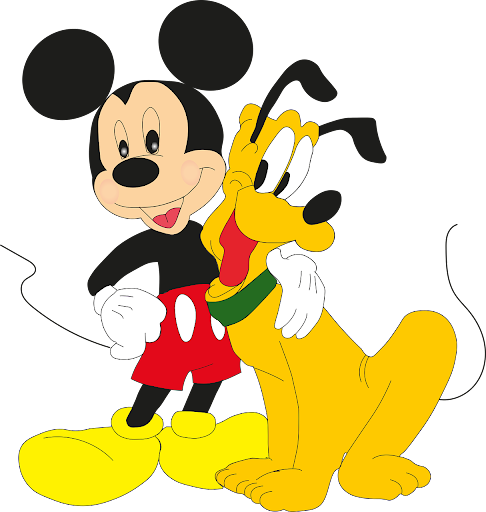
- In the navigation bar select Insert > Image > [Select location]
- Navigate to where your image is located, select and insert your image.
- Place your image in the area of the document you want it to be, including sizing it how you’d like it.
- Right click on the image and select from the menu “Alt Text”.
- Give your image a title and description.
For example - Title: Mickey Mouse and Pluto, Description: Mickey Mouse with his arm around his dog Pluto as they stand together happily.

Complex images refers to images that require a longer description in order for learners to understand the purpose of the image. In most cases, to make complex images accessible, you need to understand what the image is trying to convey, its purpose, and your audience. This is all relevant to create and access alternative formats. This matters because without alternative formats, people who have visual impairments will not be able to access the content you present.
Types of Complex Images:
- Pie Charts
- Bar Charts
- Line Graphs
- Flowcharts
- Diagram Charts
- Illustrations
- Math and Graphics
- Maps
Tip: When using complex images, include Alt text as you would for any other image but also include an additional description as a caption. If more description is needed, include it in the content of the page.
To guide you in creating the appropriate format for a complex image, you can use this detailed handbook written by Supada Armornchat entitled Complex Images for All Learners. It is available in PDF format to download. The handbook is free to share, and licensed under CC BY-NC-SA 4.0. Referenced from Portland Community College Accessibility.
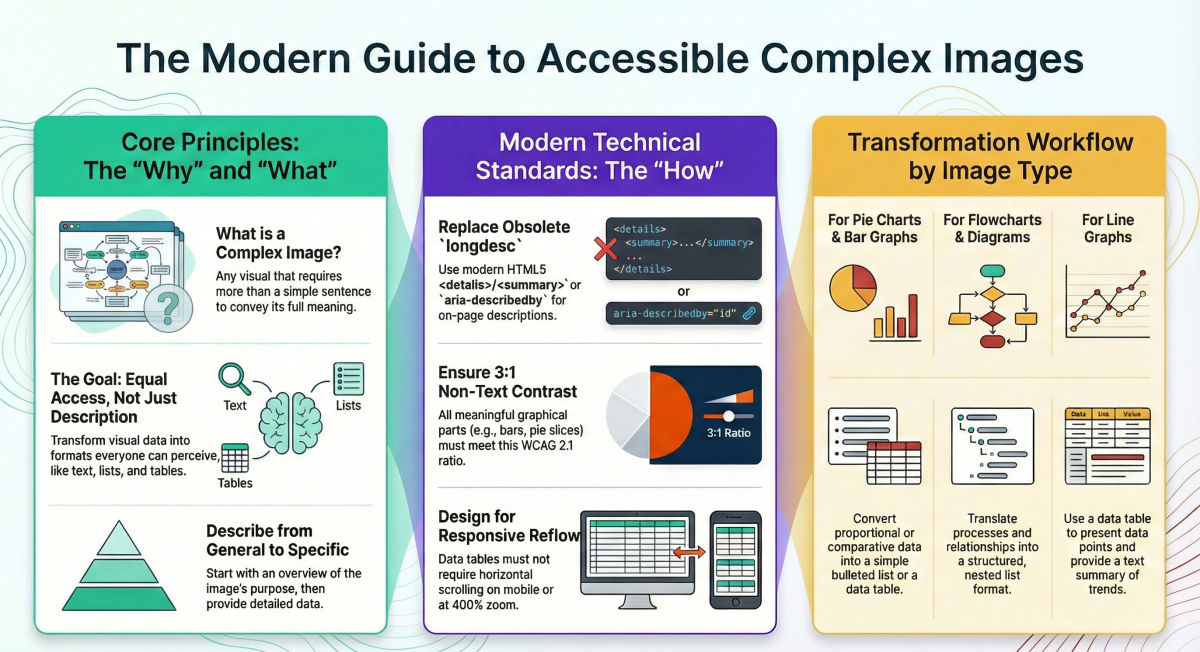
This infographic is a summary of the information within the 'Complex Images for all Learners', including the change from long description to using details/summary within HTML5.
Please contact ID Services or the ATC for more information or assistance in working with complex images.